







Construction teams often run separate tools for accounting, payroll, projects, equipment, and field work. That setup creates duplicate data, reporting gaps, and manual reconciliation. In an Intuit-commissioned survey of 1,000 US construction finance and operations leaders, 92% said they wanted a single platform for project and financial management.
Construction ERP is one category within the broader construction software solutions contractors use to connect financial, project, and field operations. This guide compares nine options by contractor fit, native features, pricing, implementation risk, and user feedback.
TL;DR: Construction ERP Software in 2026
- Enterprise general contractors CMiC
- Heavy civil and equipment-intensive work Trimble Viewpoint Vista
- Construction plus recurring service work Trimble Viewpoint Spectrum
- Cloud-first mid-market contractors Acumatica Construction Edition
- Multi-entity financial consolidation Sage Intacct Construction
- Established on-premise accounting Sage 300 CRE
- Growing GCs and developers Premier Construction Software
- EPC and multinational groups SAP S/4HANA
- Microsoft-centric firms Business Central with an extension
Construction ERP Software at a Glance
Nine platforms, three category types, and a pricing column that tells its own story: not one publishes a fixed price. Deployment is the first real fork, browser-native cloud versus on-premise or hosted.
| Platform | Category | Deployment | Pricing status |
|---|---|---|---|
| CMiC | Construction-native ERP | Cloud or hosted | Quote only |
| Trimble Viewpoint Vista | Construction-native ERP | Primarily on-premise or hosted | Quote only |
| Trimble Viewpoint Spectrum | Construction-native ERP | Browser-based cloud | Quote only |
| Acumatica Construction | General ERP, construction edition | Cloud | Quote only |
| Sage Intacct Construction | General ERP, construction edition | Cloud | Quote only |
| Sage 300 CRE | Construction-native ERP | On-premise or hosted | Quote only |
| Premier | Construction-native ERP | Cloud | Quote builder |
| SAP S/4HANA | Enterprise ERP with construction and engineering capabilities | Cloud, private cloud, on-premise, or hybrid | Quote only |
| Business Central + extension | General ERP, requires extension | Cloud or on-premise | Two licences, quoted |
What Is the Best Construction ERP Software?
There is no universal best construction ERP. The right platform depends on contractor type, entity count, payroll complexity, equipment ownership, service operations, existing systems, and implementation capacity. This table maps the need to the platform that fits it.
Contractors with complex critical-path or resource-planning requirements may also use dedicated construction scheduling software alongside their ERP.
| Business need | Best-fit platform | Why it fits |
|---|---|---|
| Enterprise general contractors | CMiC | Construction accounting, project controls, and field data on one database |
| Heavy civil and equipment-intensive work | Trimble Viewpoint Vista | Strong equipment costing, payroll, and multi-entity controls |
| Project and recurring service work | Trimble Viewpoint Spectrum | Runs project accounting, service, and work orders on one ledger |
| Cloud-first mid-market contractors | Acumatica Construction Edition | Flexible integrations and resource-based licensing |
| Multi-entity financial consolidation | Sage Intacct Construction | Dimensional accounting and consolidated reporting |
| Established on-premise operations | Sage 300 CRE | Mature construction accounting, payroll, and property management |
| Growing GCs and developers | Premier Construction Software | Cloud accounting and project management in one platform |
| EPC and multinational groups | SAP S/4HANA | Enterprise finance, procurement, assets, and global consolidation |
| Microsoft-centric firms | Business Central + extension | Microsoft ERP foundation with partner-supplied construction functionality |
What Is Construction ERP Software?
Construction ERP software combines construction accounting, job costing, WIP reporting, billing, procurement, project controls, payroll, and field data in one financial system of record. Unlike construction project management software such as Procore, a construction ERP owns the general ledger.
Construction accounting tools such as Foundation may handle payroll and job costs but usually provide lighter project controls. General ERPs such as Business Central qualify only when paired with a construction-specific extension.
This classification is not academic. We have seen buyers run project management platforms and full ERPs through the same evaluation even though the two occupy different positions in the final stack, which produces a shortlist that cannot be compared on price or scope.
This same platform-classification work is part of our broader construction software development practice.
How We Evaluated These Construction ERP Platforms
This is a public-evidence evaluation, not a hands-on test. Evidence ran in four tiers: vendor documentation, release notes, and pricing pages for capability, product status, and cost; independent review platforms for sentiment, with counts stated; community and user discussion for implementation experience; and vendor, partner, or competitor claims, labelled as such and never treated as neutral proof.
The weighting reflects where we see projects actually decided. Integration scope, data migration, internal ownership, and field adoption carry more weight here than feature counts, because those are the areas that determine whether a platform holds up after the demonstration.
Review counts vary from 27 to 413 across the nine, and several platforms are reviewed only at the parent-product level rather than for their construction edition. Where a sample is small or platform-wide, we flag it beside the rating rather than presenting it as settled consensus. Two general ERPs (Acumatica and Sage Intacct) are reviewed broadly, not for their construction editions specifically, and SAP and Business Central are evaluated on documentation rather than construction-specific review data.
9 Best Construction ERP Software Platforms in 2026
Ranked by contractor fit, financial depth, payroll, equipment management, service workflows, deployment model, pricing transparency, implementation burden, and user sentiment. Each block closes on the two lines that actually drive the decision: the main trade-off, and when to walk away.
CMiC
Best construction ERP for enterprise general contractors
CMiC is best for large general contractors that want construction accounting, project controls, and field operations connected through one database. Its single-platform model can reduce the synchronization problems created by separate financial and project management systems.
Users most often praise CMiC's centralized data, reporting depth, and ability to connect accounting with project operations. Reported concerns include long implementations, interface resistance among field teams, upgrade complexity, and the need for dedicated internal administration.
CMiC provides one of the most integrated construction ERP data models, but it requires significant internal ownership.
Your company cannot assign an ERP administrator, field adoption is the primary challenge, or you need a relatively fast and lightweight implementation.
Trimble Viewpoint Vista
Best ERP for heavy civil contractors
Trimble Viewpoint Vista is best for heavy civil, infrastructure, and equipment-intensive contractors that need detailed equipment costing, complex payroll, and multi-entity accounting. It is particularly relevant when owned equipment has a direct effect on project margins.
Users commonly praise Vista's equipment management, contractor payroll, multi-entity accounting, configuration depth, and connection with Procore. Reported drawbacks include infrastructure requirements, configuration complexity, support concerns, and the internal IT resources needed to maintain the platform.
Vista offers deep construction and equipment accounting but carries a heavier IT and configuration burden.
Equipment ownership is limited, browser-native access is essential, or your company lacks internal technical resources.
Trimble Viewpoint Spectrum
Best ERP for construction and service contractors
Trimble Viewpoint Spectrum is best for specialty contractors that manage construction projects and recurring service work through the same financial system. It is particularly relevant to mechanical, electrical, plumbing, and other service-heavy contractors.
Spectrum combines construction accounting, job costing, union payroll, service management, inventory, and work-order billing on one ledger. Users commonly value its browser access, service capabilities, payroll depth, and ability to connect service and project financials. Reported concerns include customer support, less configuration flexibility than Vista, and dependence on connected Trimble products for some mobile field workflows.
Spectrum is easier to access and better suited to service workflows than Vista, but it offers less customization depth.
You do not operate a service division, equipment costing is the primary requirement, or you need highly complex multi-entity configuration.
Acumatica Construction Edition
Best cloud ERP for mid-market contractors
Acumatica Construction Edition is best for mid-market contractors that need cloud access, extensive integrations, and broad system availability without paying for every named user.
Acumatica provides construction accounting, project costing, payroll support, multi-company financials, and documented connections with platforms such as Procore, ProEst, and DocuSign. Its API and integration model make it suitable for contractors that need to retain specialized estimating, field, CRM, or document systems. Users often praise its flexibility, modern interface, integration options, and licensing structure. Common concerns include reporting configuration, approval workflow setup, and dependence on implementation-partner quality.
Acumatica offers strong extensibility but usually requires configuration before workflows and reports feel complete.
You want fully configured construction reporting out of the box, or do not have access to an experienced implementation partner.
Sage Intacct Construction
Best ERP for multi-entity construction accounting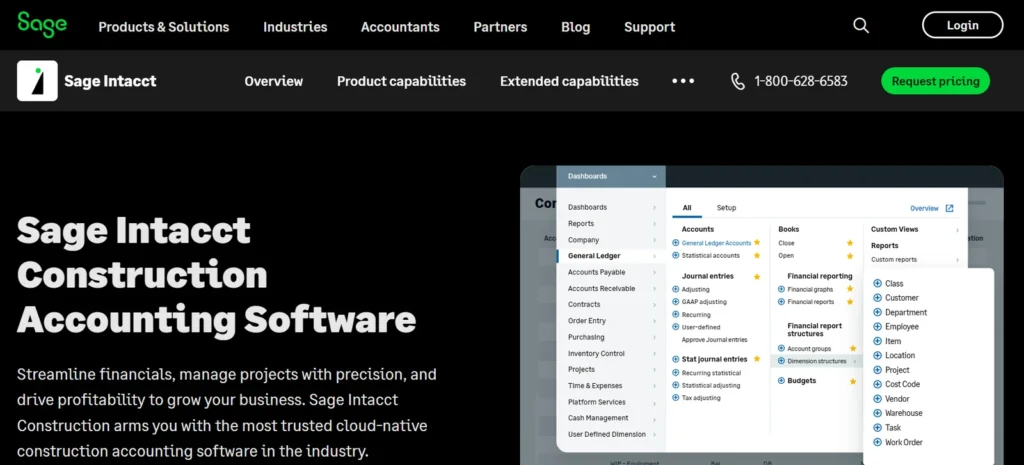
Sage Intacct Construction is best for mid-market construction groups that prioritize financial reporting, dimensional accounting, and consolidation across multiple legal entities.
Its main strength is financial management. Sage Intacct can consolidate entities, locations, departments, projects, and other reporting dimensions without relying heavily on spreadsheets. It is a stronger fit when the primary ERP requirement comes from finance rather than equipment, field execution, or service management. Users commonly praise its cloud access, financial reporting, consolidation, and API availability. Reported limitations include module costs, dependence on ISV products, and lighter native construction operations than construction-focused platforms such as CMiC or Viewpoint.
Sage Intacct provides strong multi-entity financial management but may require additional products for deeper construction operations.
You operate one entity, equipment costing is central to profitability, or field operations are the main reason for replacing your current system.
Sage 300 CRE
Best on-premise construction ERP
Sage 300 Construction and Real Estate is best for established contractors that need mature construction accounting, payroll, property management, and reporting in an on-premise environment.
Sage 300 CRE has a long-established position in construction accounting and real estate management. Its strengths include contractor payroll, job costing, property management, financial reporting, and support for complex accounting workflows. Users commonly praise its accounting maturity, payroll capabilities, and familiarity within established construction finance teams. Reported concerns include its dated interface, infrastructure requirements, limited browser access, and lighter native project management. Many users connect it with a separate project management platform. Sage continues to release updates, and no published end-of-life announcement was identified in the research used here.
Sage 300 CRE provides mature contractor accounting without a modern cloud-native experience.
Browser access is mandatory, you want integrated project management, or you are starting from scratch and prefer a cloud-first system.
Premier Construction Software
Best ERP for growing general contractors
Premier Construction Software is best for growing general contractors, developers, and home builders that want cloud accounting and project management within one construction-focused platform.
Premier combines construction accounting, project management, job forecasting, billing, and operational reporting. Users often praise the connection between project and accounting workflows, forecasting capabilities, and faster billing. Reported concerns include training requirements, add-on costs, and the absence of native payroll. Payroll is handled through integrations with products such as QuickBooks Desktop, ADP, and Dayforce. Premier was previously known as Jonas Premier and is separate from Jonas Enterprise, which serves a different contractor segment.
Premier offers a modern cloud platform for growing contractors but depends on external payroll software.
Union or certified payroll must run inside the ERP, or your business requires enterprise-level multi-entity complexity.
SAP S/4HANA
Best enterprise ERP for EPC and multinational contractors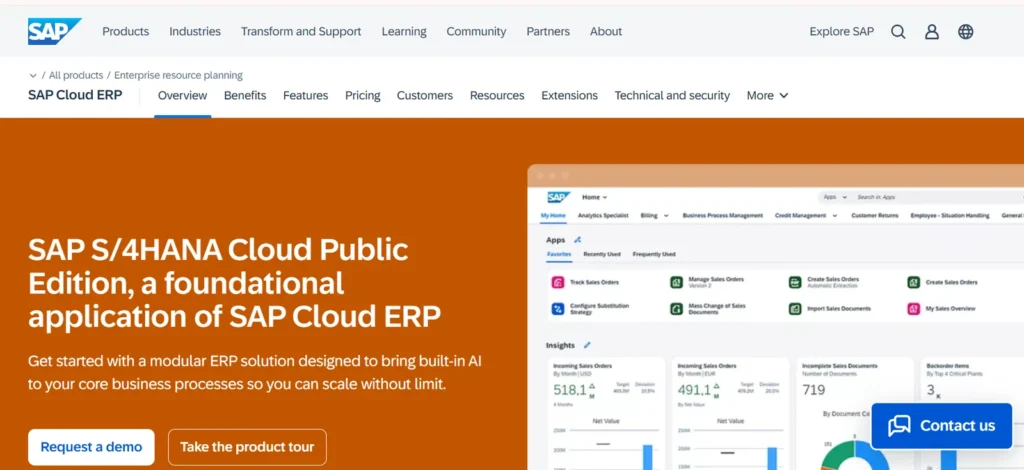
SAP S/4HANA is best for EPC companies, infrastructure groups, and multinational contractors that need enterprise finance, procurement, asset management, and project controls across multiple entities and countries.
SAP is not a construction-native ERP in the same category as CMiC or Viewpoint. Its relevance comes from enterprise financial management, procurement, asset management, Project System, Commercial Project Management, and equipment functionality. Additional construction workflows may require configuration, SAP modules, partner solutions, or integrations. SAP is most suitable when construction is part of a larger engineering, manufacturing, infrastructure, or asset-intensive operation. Payroll capabilities vary by country, and US union or certified payroll may require an additional solution.
SAP provides extensive enterprise and global operational depth but requires substantial implementation resources and internal SAP expertise.
You are a regional contractor, need construction workflows ready out of the box, or cannot support a complex enterprise implementation.
Dynamics 365 Business Central
Best for Microsoft-centric contractorsMicrosoft Dynamics 365 Business Central with a construction extension is best for mid-market contractors already using Microsoft products and wanting construction workflows built around a familiar financial and technology platform.
Business Central natively provides financials, procurement, project costing, job costing, and WIP capabilities. Construction-specific functions such as retainage, progress billing, subcontractor controls, and specialized project workflows generally come from partner extensions. ProjectPro, 4PS Construct, and COSMO Project Construction are examples built around the Microsoft ecosystem, but their capabilities, pricing, support model, and geographic availability must be evaluated separately. Users benefit from Microsoft integrations, reporting tools, and a large partner ecosystem. The main risk is that construction functionality, implementation quality, upgrades, and support depend heavily on the selected extension provider.
Business Central provides a flexible Microsoft ERP foundation, but it does not provide complete construction functionality by itself.
You want single-vendor accountability, require construction depth directly from Microsoft, or cannot accept long-term dependence on an extension provider.
Shortlisting two or three and stuck on the seams?
Tell us the systems you already run and the data you need to carry over. We will tell you where the integration and migration risk actually sits before you sign an ERP contract. A short engineering answer, not a sales call.
Construction Accounting Alternatives When You Do Not Need a Full ERP
Not every contractor needs a full ERP. These belong outside the ranking on purpose.
Foundation Software does not meet the ERP test above. It is construction accounting, and it belongs here rather than in the ranking, because the honest question for many contractors is whether accounting software solves the actual problem more cheaply. It is strongest on certified payroll, union reporting, and job costing for self-perform contractors, the workload that breaks QuickBooks. Project controls are lighter, and most users pair it with a separate PM platform. Independent review evidence for current versions is thinner than for the nine above, so we assign no sentiment label.
Sage 100 Contractor serves a similar small-to-mid segment inside the Sage family. QuickBooks plus a construction layer remains viable when job costing is the only gap. And Procore is project management, not an ERP, and is most often run alongside one rather than instead of one.
Which Workflows Are Native, and Which Come From Somewhere Else?
An integration does not mean the feature is included. This matrix separates what ships from the vendor from what arrives through a module, a partner extension, or a third party, the distinction that decides implementation scope and upgrade risk.
What Does Construction ERP Software Actually Cost?
Subscription is only one part of the total construction software cost. A realistic three-year figure combines licensing, implementation, data migration, integrations, training, internal staffing, custom reporting, infrastructure, upgrades, and support. None of the nine publishes implementation pricing.
| Platform | Price published | Pricing basis | Add-on exposure |
|---|---|---|---|
| CMiC | No | Users, modules, deployment | High |
| Trimble Viewpoint Vista | No | Users, modules, deployment | High, plus infrastructure |
| Trimble Viewpoint Spectrum | No | Users, modules | Moderate, field tools separate |
| Acumatica Construction | No | Resource consumption | Moderate |
| Sage Intacct Construction | No | Users plus modules | High, ISV add-ons common |
| Sage 300 CRE | No | Users, modules | Moderate, plus infrastructure |
| Premier | No, quote builder | Company type and user band | Moderate |
| SAP S/4HANA | No | Enterprise agreement | High |
| Business Central + extension | No | Microsoft licence plus extension per user | High, two vendors |
Because every vendor quotes, any article publishing precise annual costs for these platforms is estimating. Ask for three-year totals including implementation, not monthly per-user figures. The same opacity runs through construction management software costs.
How Much Implementation Risk Does Each Construction ERP Carry?
Implementation scope varies with data history, entity count, integration count, and internal ownership more than with platform choice alone. Reviewers frequently report that migration and internal ownership drive outcomes more than licensing does.
The Evidence column reports how much public review and user data exists, on a separate Strong / Moderate / Limited scale.
ERP implementations rarely fail because the general ledger is missing a feature. Problems start when data definitions, integrations, and workflow ownership stay unresolved until configuration has already begun. The patterns that recur:
Inconsistent cost-code structures across divisions
Duplicate vendor and project records
Payroll and field systems using different employee identifiers
Historical data that cannot be migrated cleanly
Custom reports recreated too late to test
No internal product owner
Field users brought in after workflows are configured
Integrations scoped only after the ERP contract is signed
Improving data accuracy during a system migration
A construction services company needed to migrate operational data from its existing system without carrying over duplicate, incomplete, or inconsistent records.
TechnBrains reviewed the source data, mapped the required fields, and supported the migration into the new environment.
The process improved data accuracy and gave the client a cleaner, more reliable foundation for reporting and future system integrations.
Data cleanup and validation should happen before migration, not after the new platform goes live.
Planning an ERP migration this year?
The platform decision is only half of it. Clean data definitions, a validated migration, and integrations scoped before the contract is signed are what determine whether the new system holds up. A 30-minute call will tell you where your real risk sits.
Frequently Asked Questions
Procore is construction project management software. It runs RFIs, submittals, drawings, and field execution, and integrates with an accounting system it does not replace. A construction ERP owns the general ledger and runs job costing, WIP, billing, and payroll. Many contractors run both, with the ERP as system of record.
Yes. Sage published version 25 release notes in April 2026, and version 25.2 Update 1 shipped as the year-end release, adding Windows Server 2025 compatibility and Crystal Reports 2020 support. We found no published end-of-life announcement. It remains on-premise, and Sage also publishes migration material toward Sage Intacct Construction.
None of the nine platforms compared here publishes fixed prices. Premier's pricing page is a quote builder segmented by company type and user band. Cost is driven by user count or consumption, module selection, deployment model, and migration scope. Implementation, migration, integrations, and training are separate from subscription and are not published by any of them.
Trimble Viewpoint Spectrum, Trimble Viewpoint Vista, and Acumatica Construction Edition all handle union payroll natively, with Acumatica documenting multiple unions, classes, and complex wage packages. Sage Intacct Construction and Premier rely on payroll integrations rather than native processing, so confirm certified and union reporting before shortlisting either.