Build and Scale Faster
150+ products shipped for startups and enterprises by engineers focused on real outcomes.
"Their ability to quickly understand an unfamiliar use case and respond creatively to it is impressive."

Anonymous
Executive, Pured Disc Golf

"TechnBrains resolved challenges efficiently and turned my vision into a solid, functional product with a strong foundation."

Jalen Gibbs
Founder, STREAMLINE LIVE
"The talent they provided was solid, but more importantly, they were quick to align with our way of working."

Nancy Snyder
Managing Director, MimeCast
Our trusted clients


Start Your Product Journey Today
Turn your idea into a working product. Share a few details and we'll help define the roadmap, timeline, and execution approach.
How to Streamline Application Deployment for Faster Go-to-Market
When you ask a Mobile app development company about application deployment, it might feel like being asked to defuse a bomb while balancing on a unicycle. But relax! It does not have to be that complicated. If you have ever tried to explain the process of deploying an app, think, “What’s a cloud, and why is it hosting?” Imagine spending...


Updated Jan 06, 2025
When you ask a Mobile app development company about application deployment, it might feel like being asked to defuse a bomb while balancing on a unicycle. But relax! It does not have to be that complicated. If you have ever tried to explain the process of deploying an app, think, “What’s a cloud, and why is it hosting?”
Imagine spending months building the perfect app. You’ve got the sleek UI, the killer backend, and a feature list longer than a Marvel movie’s end credits. But when it’s time to launch, you’re stuck in a never-ending loop of errors, failed connections, and server tantrums.
Your team’s stressed, your clients are furious, and your manager keeps asking why the app hasn’t gone live yet. Worst of all, every failed deployment feels like a public tech roast, with the error logs mocking your every move. Fear not! With the right application deployment tools, strategies, and a touch of automation, you can deploy apps faster.
Let’s explore everything from the basics to advanced strategies to help you ace the application deployment process without breaking a sweat—or a server.

What is Application Deployment?
In simple terms, application deployment is the process of making your app available for users. It’s like throwing a grand opening party for your app—inviting users to experience its brilliance on their devices. Be it a mobile app, a web app, or a hybrid beast, deployment ensures your creation goes live.
The 5 Steps of Application Deployment
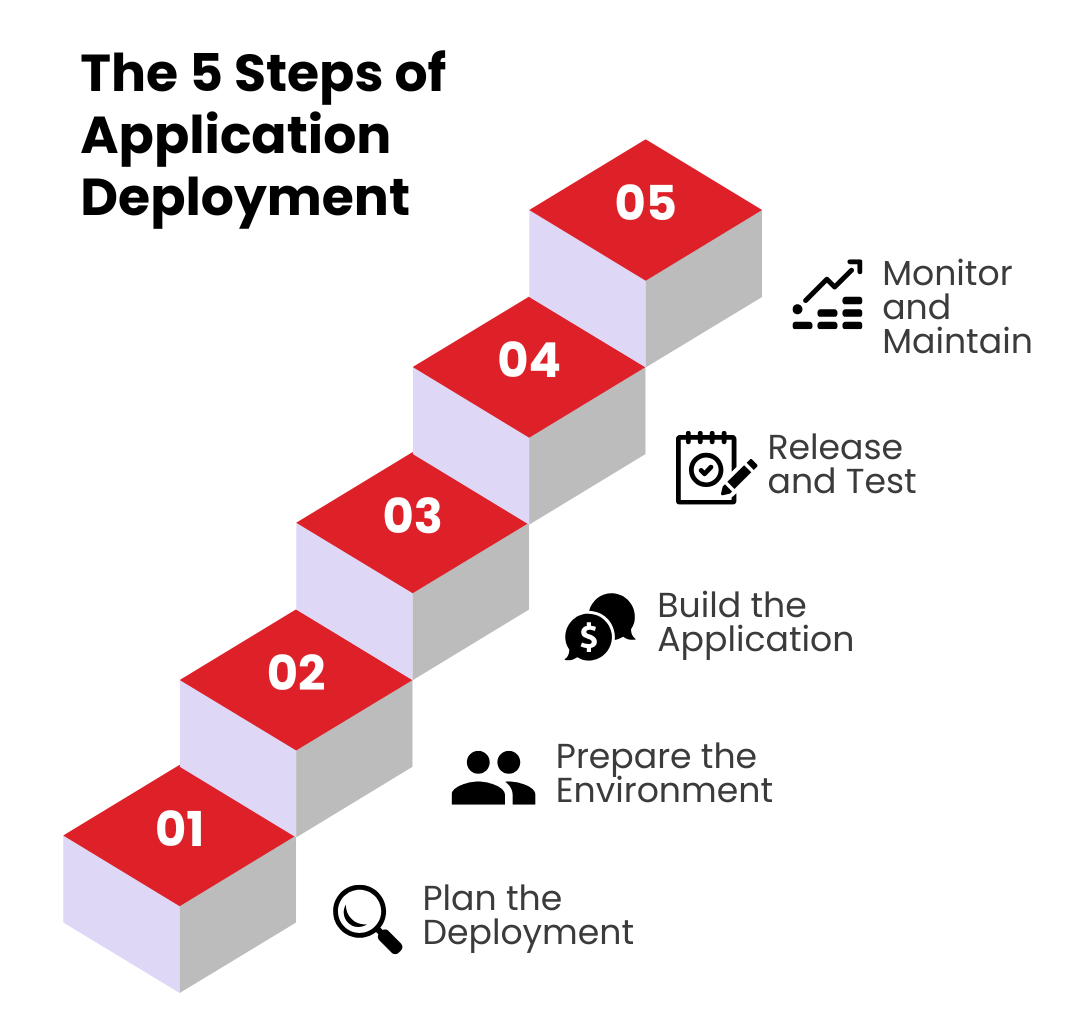
Deploying an application isn’t just a click of the “Deploy” button; it’s a carefully orchestrated ballet of planning, testing, and execution. Be it for mobile application deployment, web application deployment, or scaling to the cloud, getting it right is the key to happy customers.
Let’s break down the application deployment process into 5 detailed steps:
Step 1: Plan the Deployment
“Failing to plan is planning to fail,” said someone wise—probably a project manager with a 2 AM production bug.
Choose a Deployment Strategy
Your deployment strategy is the backbone of this process. Consider these approaches:
- Blue-Green Deployment: Keep a production environment (green) live while testing updates in a parallel environment (blue). Once satisfied, switch the traffic. It’s like a dress rehearsal before the big show.
- Canary Deployment: Roll out changes to a small, controlled user group before full-scale deployment. Think of it as letting your app dip its toes into the water.
- Rolling Deployment: Gradually update servers, minimizing downtime. Slow and steady wins the race, even in tech.
We will be discussing these strategies in detail in the next section.
Define a Timeline, and Timing is everything! Deploy during low-traffic hours to minimize disruptions—unless you enjoy late-night error logs with a side of coffee. Align Teams, Get everyone—developers, QA, DevOps, and product managers—on the same page. Miscommunication here can lead to chaos worthy of a sitcom episode. Proper planning sets the stage for a smooth deployment of application components, reducing risks and ensuring a stress-free launch (well, almost).
Step 2: Prepare the Environment
Imagine launching your app into an unprepared environment—it’s like sending astronauts to space without oxygen. Let’s get things ready. Set Up Infrastructure and create and configure servers, databases, and networks. Use tools like Jenkins or AWS CodeDeploy for both manual and automated application deployment. Remember, infrastructure isn’t the place to cut corners unless you enjoy server crashes.
Security isn’t optional. Set up firewalls, encrypt sensitive data, and ensure secure access protocols. In cloud application deployment, this means following stringent cloud security best practices. After all, no one wants to trend on Twitter for the wrong reasons—like a data breach.
Your app must handle traffic spikes without breaking a sweat. Enter tools like Kubernetes and Ansible, the superheroes of scalable infrastructure. Think of them as the bouncers at your app’s party, ensuring no server gets overwhelmed. With a well-prepared environment, your application deployment software will run smoother than your morning coffee pour.
Step 3: Build the Application
Now it’s time to transform your carefully written code into something that can actually, you know, run. Capitalize on CI tools like GitLab or CircleCI to integrate and test code changes automatically. These tools streamline the application deployment evaluation cycle, catching bugs before they become a public embarrassment. Bundle everything—libraries, configurations, and assets—into a neat, deployable package. Be it for Java application deployment or a cross-platform app, compatibility is key. It’s like packing for a trip: forget one essential, and your whole journey is in jeopardy.
You need to Run Pre-Deployment Tests, no questions! Static tests, dynamic tests, load tests—run them all. This is your chance to squash bugs before they wreak havoc. Consider this step your app’s final exam before graduation. A strong build ensures the later stages of deployment go as planned—because debugging in production isn’t a strategy; it’s a horror story.
Step 4: Release and Test
The moment you’ve been waiting for: the big release! But hold your applause—there’s still testing to do. Deploy the App; use application deployment automation to roll out changes efficiently. Tools like Bamboo or Octopus Deploy ensure zero-downtime deployment, which users will appreciate because they won’t even notice it happened.
Conduct Real-World Testing
Testing doesn’t end once your app is live.
- Load Testing: Can your app handle Black Friday traffic levels?
- Compatibility Testing: Is your mobile application deployment process user-friendly across all devices?
- Functionality Testing: Do all features work seamlessly in production?
Keep an ear to the ground by monitoring logs, metrics, and user feedback. Real-world testing reveals what pre-deployment tests may have missed—like that one button no one thought to click.
Step 5: Monitor and Maintain
The app is live, but your job isn’t done. Deployment is like adopting a pet: maintenance is a lifelong commitment. Use New Relic, Datadog, or Splunk to monitor performance. These tools are your watchdogs, catching issues before they escalate. In web application deployment, uptime monitoring is especially critical—because users won’t forgive a downed website.
Gather metrics on everything from error rates to user behavior. Use these insights to iterate on your app. It’s like having a crystal ball for your next update. Bugs and vulnerabilities happen. Regular updates via automated application deployment pipelines ensure your app remains secure and up to date. Think of it as your app’s routine checkup.
Pro tip: User feedback isn’t a criticism; it’s a roadmap. Keep improving your mobile app deployment process to stay ahead in a competitive market.
Top 9 Application Deployment Tools in 2025
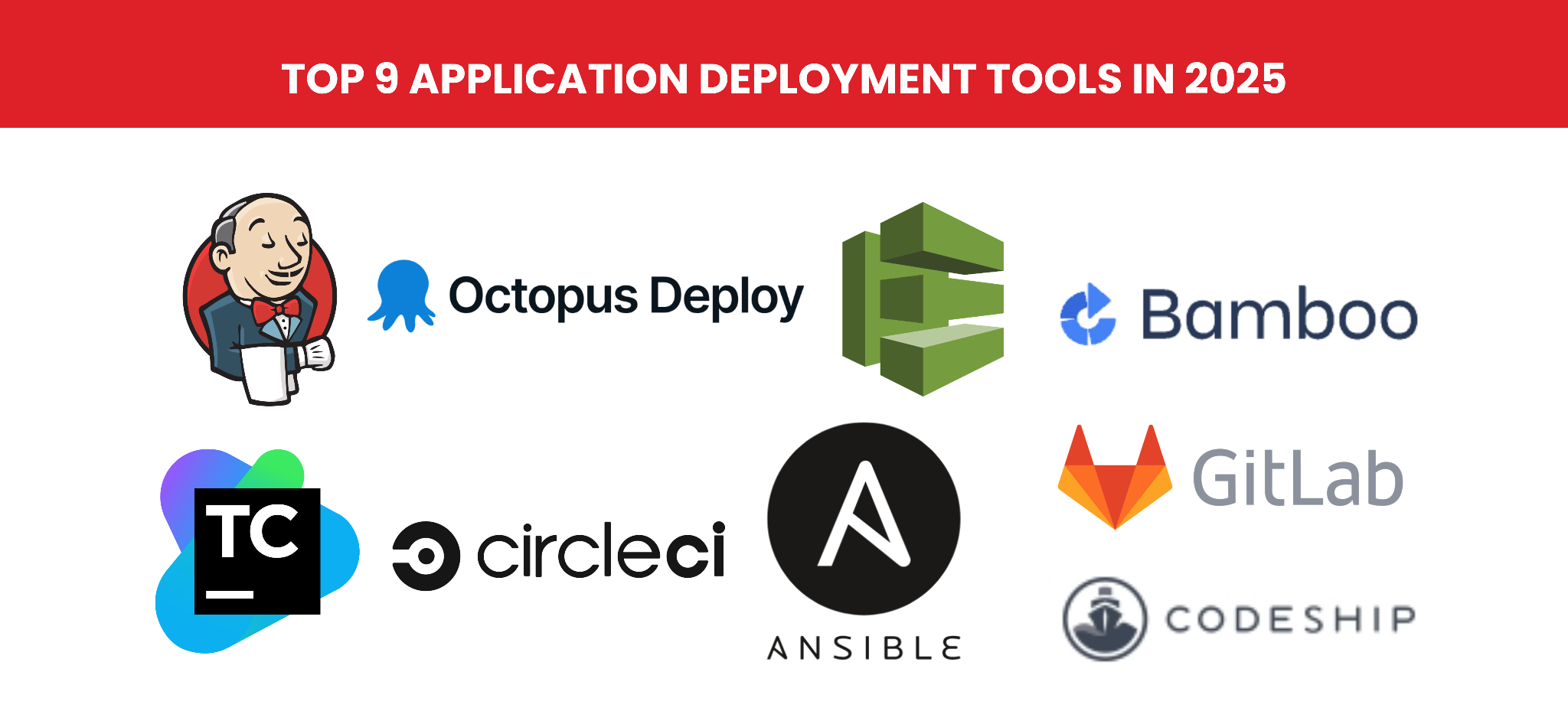
Deploying an application quickly and effectively can make or break your project. Using the right application deployment tools gives developers superpowers, simplifying complex processes and ensuring smooth deployment. Here’s a detailed breakdown of the top 9 application deployment tools in 2025 that are shaping the industry.
-
Jenkins
Jenkins is one of the most popular tools for continuous integration and deployment. It’s open-source, highly customizable, and boasts a vast plugin ecosystem. This application deployment tool has been around for years and continues to evolve, making it indispensable for developers managing complex application deployment tasks.
Features
- Automates the entire application deployment process.
- Supports CI/CD pipelines with ease.
- Integrates with nearly every development tool.
- Enables automated application deployment with minimal downtime.
2. Octopus Deploy
Octopus Deploy specializes in application deployment tool automation, offering a robust solution for managing and automating deployments across multiple environments. With its powerful automation features, Octopus Deploy is a favorite among teams focused on error-free deployments.
Features
- Simplifies the deployment of cloud, mobile, and web apps.
- Works seamlessly with tools like Jenkins and Azure DevOps.
- Supports blue-green and canary deployment strategies.
3. AWS CodeDeploy
AWS CodeDeploy is Amazon’s answer to cloud application deployment. It streamlines the deployment of applications to AWS EC2 instances, Lambda, and on-premise servers. It is an excellent choice for teams already invested in the AWS ecosystem, making cloud-based application deployment efficient and reliable.
Features
- Automates the deployment of apps to cloud or on-premise infrastructure.
- Provides detailed monitoring and logging for each deployment.
- Supports the application deployment evaluation cycle, ensuring constant improvement.
4. Bamboo
Bamboo is Atlassian’s CI/CD tool designed to integrate seamlessly with their suite, including Jira and Bitbucket. It’s perfect for teams that prioritize tight collaboration. For organizations already using Atlassian tools, Bamboo enhances productivity and simplifies the application deployment process.
Features
- Automates builds, testing, and deployments.
- Supports parallel execution for faster app deployment.
- Integrates natively with Jira for streamlined tracking.
5. CircleCI
CircleCI has become a go-to tool for startups and small teams looking for an easy-to-use yet powerful CI/CD platform.
Features
- Enables quick setup for mobile app deployment tools.
- Offers pre-built integrations with popular repositories like GitHub.
- Supports a variety of deployment strategies, including rolling updates.
CircleCI is scalable, making it ideal for startups that need a tool to grow with them as their application deployment strategies evolve.

6. GitLab
GitLab isn’t just for version control anymore—it’s a complete DevOps platform that includes CI/CD capabilities. It has an all-in-one approach, which makes it a powerful choice for teams looking to manage every aspect of the deployment of applications from a single platform.
Features
- Combines development, security, and deployment in one tool.
- Supports advanced application deployment automation features.
- Enables real-time monitoring of the application deployment process.
7. Ansible
Ansible focuses on automation, particularly for server configurations and application deployment. Its simplicity and flexibility make it a favorite among DevOps teams. This tool has playbooks that are easy to write, making automation accessible to teams of all sizes.
Features
- Automates tasks like software provisioning, configuration management, and deployment.
- Works well with hybrid and multi-cloud environments.
- Supports complex deployment scenarios with minimal scripting.
8. Codeship Inc.
Codeship is a cloud-based CI/CD tool that emphasizes simplicity and ease of use. It’s perfect for small teams and independent developers. For teams prioritizing simplicity without sacrificing functionality, Codeship is a solid choice.
Features
- Offers pre-configured options for quick app deployment.
- Supports integration with popular cloud services for the mobile app deployment process.
- Provides real-time feedback on build and deployment status.
9. TeamCity
TeamCity is a CI/CD tool built for enterprise-scale projects. Its robust feature set makes it a favorite for large teams handling complex deployments. This tool’s ability to handle large-scale projects with ease makes it the go-to choice for enterprises.
Features
- Provides detailed build logs and performance tracking.
- Supports plugins for advanced application deployment automation.
- Integrates with tools like Docker, Kubernetes, and AWS.
Application Deployment Strategies
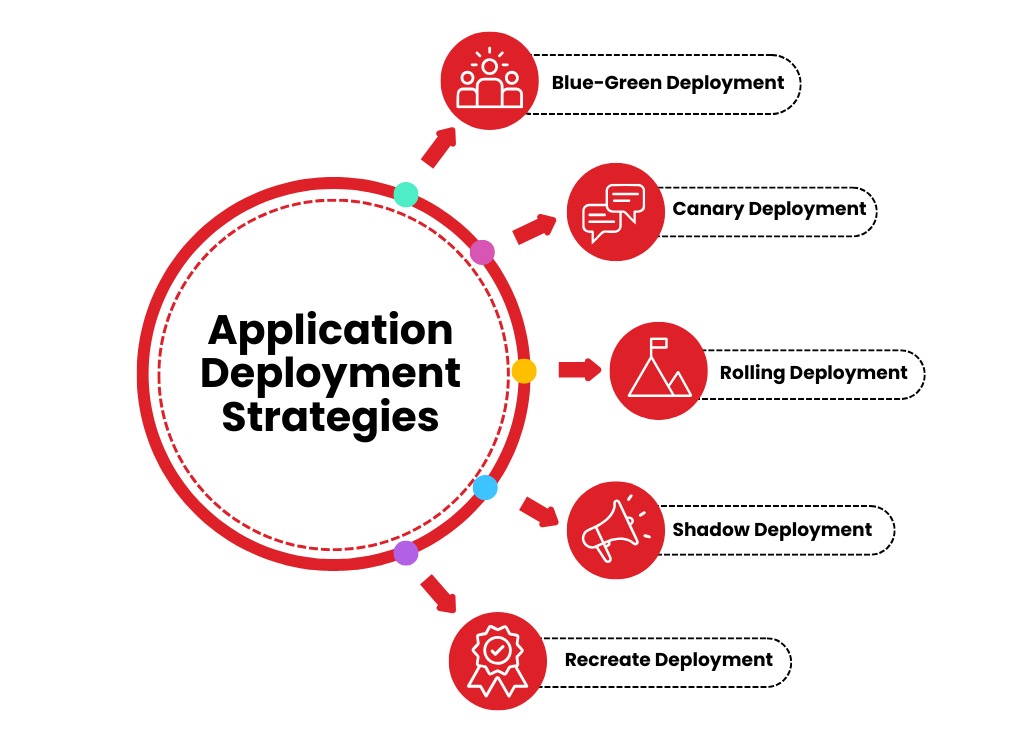
The most effective application deployment strategies are Blue-Green Deployment, Canary Deployment, Rolling Deployment, Shadow Deployment, and Recreate Deployment. There are many more you can use but let us break down the best ones in detail below:
1. Blue-Green Deployment
Blue-green deployment involves maintaining two identical environments:
- Blue: The live environment currently serving users.
- Green: A staging environment for testing new updates.
How It Works
Updates are first deployed to the green environment for thorough testing. Once validated, traffic is redirected to the green environment, making it the new live (blue) version.
Key Benefits
- Zero downtime for users.
- Quick rollback to the previous version if issues arise.
- Ideal for high-availability systems.
The best example of this application deployment strategy is for e-commerce platforms. They often use blue-green deployments to ensure a flawless shopping experience during peak seasons.
2. Canary Deployment
Inspired by the concept of using canaries in coal mines, this strategy involves releasing updates to a small, targeted group of users first. Streaming services often use canary deployments to test new features with select regions before global release.
How It Works
- The new version is deployed to a small percentage of users (the canary group).
- Feedback and performance metrics are gathered.
- If successful, the update is gradually rolled out to the rest of the user base.
Key Benefits
- Reduces the risk of widespread issues.
- Provides real-world feedback before a full rollout.
- Highly adaptable for mobile application deployment strategies and cloud systems.
3. Rolling Deployment
This strategy replaces the current version with the new one incrementally, minimizing user impact during the transition. Global SaaS providers rely on rolling deployments to maintain service availability across different time zones.
How It Works
- Updates are deployed in small batches across servers or instances.
- Each update is monitored before proceeding to the next batch.
Key Benefits
- Ensures consistent service availability.
- Allows for gradual adjustments based on performance.
- Reduces the need for excessive downtime.
4. Shadow Deployment
Shadow deployment allows testing new updates in parallel with the live environment without impacting end-users. Financial institutions use shadow deployments to test new trading algorithms while ensuring their existing systems operate flawlessly.
How It Works
- Incoming traffic is mirrored in the shadow environment.
- Updates are tested under real-world conditions while the live version remains unaffected.
Key Benefits
- Offers real-time testing without disrupting users.
- Identifies potential issues in a production-like setting.
5. Recreate Deployment
This approach involves completely replacing the old version of an application with the new one. Small businesses with limited traffic often opt for recreate deployment due to its simplicity and low overhead.
How It Works
- The old version is taken offline.
- The new version is deployed and launched.
Key Benefits
- Simple and straightforward.
- Best suited for applications with minimal downtime requirements.
Trade-offs
- It comes with unavoidable downtime. It may not be suitable for high-availability systems.
Automated Application Deployment
Manual deployments are outdated, and so is 2010. The rise of application deployment automation has revolutionized the way updates are managed, making processes faster, more reliable, and less labor-intensive.
Automation Reduces human error in repetitive tasks. It also speeds up the deployment of applications across multiple environments. Last but not least, automated application deployment frees up development teams to focus on building features rather than troubleshooting issues.
Top Tools for Automation
- Ansible: Automates everything from configuration to deployment, ensuring smooth transitions.
- AWS CodeDeploy: Seamlessly integrates with the AWS ecosystem for streamlined cloud application deployment.
- Jenkins: A versatile tool for automating the entire application deployment process, from builds to deployment.
What Is the Difference Between Application Deployment And Application Development
The difference between application deployment and application development lies in their roles within the software lifecycle. Application development is the process of creating the application itself. It involves designing, coding, testing, and building the app’s functionality to meet user needs. Developers use programming languages, frameworks, and tools to bring the idea to life, ensuring the app is robust and ready for use.
On the other hand, application deployment refers to the process of delivering the developed application to its intended environment, such as servers, app stores, or cloud platforms, so that end-users can access it. Deployment involves preparing the infrastructure, setting configurations, running tests, and ensuring the app integrates seamlessly with existing systems. In simple terms, development is about creating the app, while deployment is about making it available and operational for users.
Cloud Application Deployment
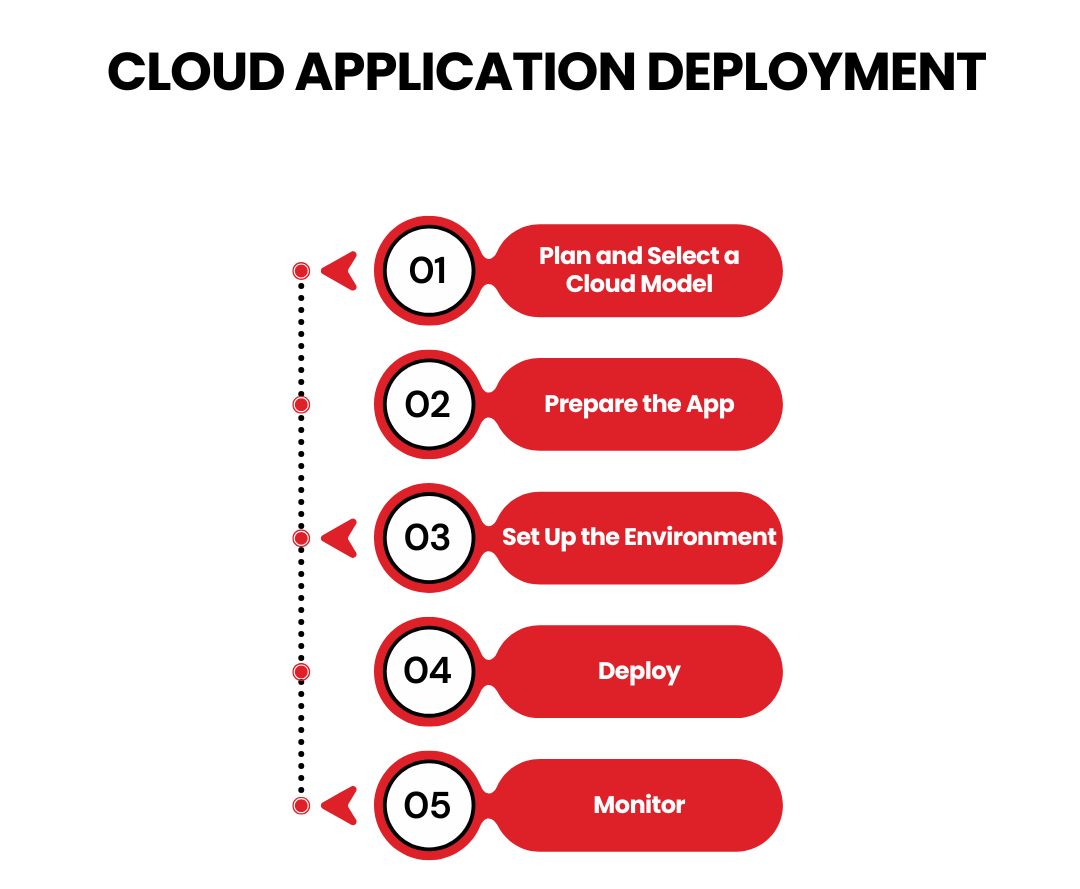
Cloud application deployment is the process of launching applications in cloud environments such as AWS, Microsoft Azure, or Google Cloud. This method provides U.S. businesses with scalability, cost efficiency, and flexibility, allowing for dynamic resource management. Be it for web or mobile apps, cloud solutions enable rapid deployment with minimal downtime.
Steps of Cloud Application Deployment:
- Plan and Select a Cloud Model: Choose a public, private, or hybrid cloud based on your needs.
- Prepare the App: Use tools like Docker to ensure cloud compatibility.
- Set Up the Environment: Configure servers, storage, and networks.
- Deploy: Use tools like AWS CodeDeploy with strategies like rolling or blue-green deployment.
- Monitor: Track performance with CloudWatch or Datadog and optimize as needed.
Cloud deployment ensures scalability, agility, and cost efficiency for app developers in Dallas.
Java Application Deployment
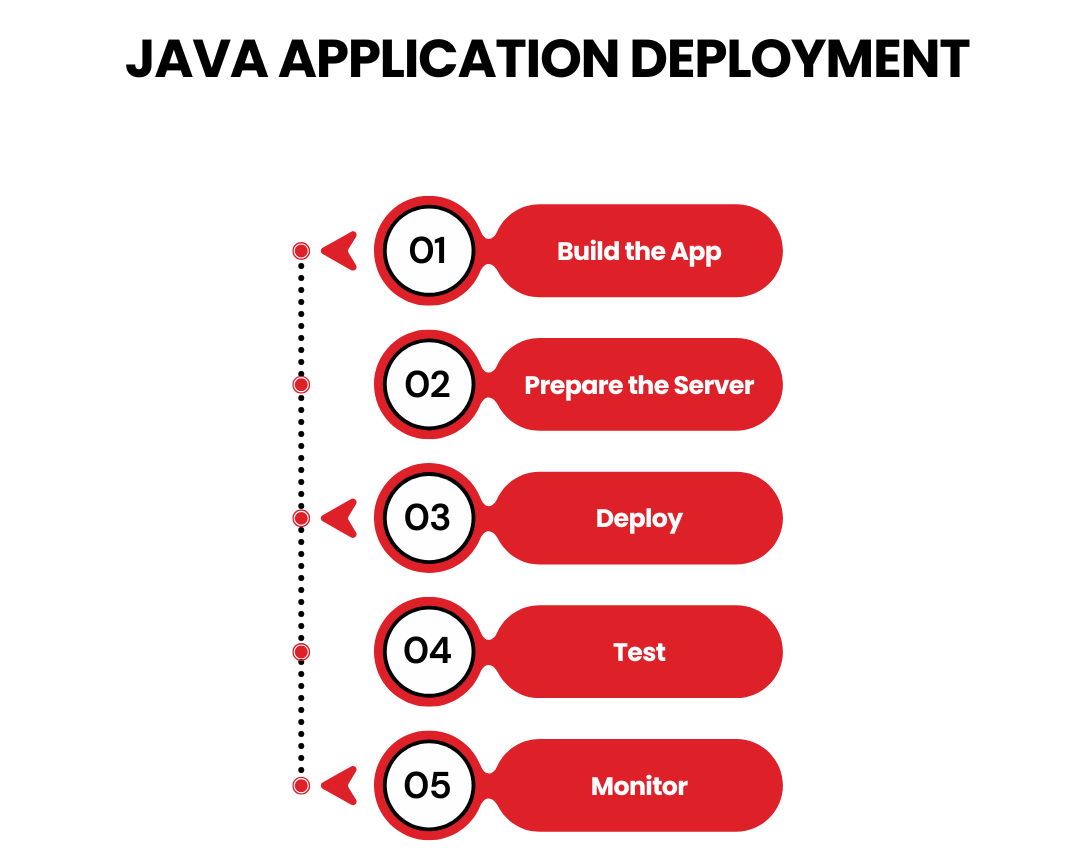
Java application deployment involves launching applications created with Java, a popular programming language. For U.S. businesses, Java’s cross-platform compatibility makes it ideal for web and enterprise applications. Deployment can occur on servers such as Apache Tomcat and JBoss or through cloud services for better scalability.
Steps for Java Application Deployment:
- Build the App: Compile Java code into WAR or JAR files using Maven.
- Prepare the Server: Set up environments like Tomcat or cloud-based platforms.
- Deploy: Use CI/CD tools like Jenkins for seamless deployment.
- Test: Ensure functionality and compatibility with APIs and databases.
- Monitor: Use tools to track performance and apply patches for security.
Java remains a powerful choice for reliable enterprise applications in the U.S. market.
Deploy Like a Pro
The world of application deployment may seem intimidating, but with the right tools, strategies, and a touch of automation, you can turn it into a smooth ride. Whether you’re deploying mobile, web, or cloud applications, following best practices ensures a hassle-free launch every time. The application deployment process may seem daunting, but mastering it ensures your app launches smoothly and serves users effectively.
Remember the 5 steps of application deployment:
- Plan meticulously.
- Prepare thoroughly.
- Build application
- Test obsessively.
- Monitor relentlessly.
And when in doubt, automate wherever possible. After all, the fewer manual steps, the fewer opportunities for “oops” moments. Deployment doesn’t have to be stressful—it can even be a little fun. Well, it’s as fun as debugging at midnight can get. As for the best application deployment tools in 2025, Jenkins, Octopus Deploy, AWS CodeDeploy, and Bamboo are must-haves.
So gear up, choose your tools wisely, and let your app conquer the digital world. And remember, when in doubt, blame the staging environment—it’s a tech tradition!

TechnBrains for Seamless Application Deployment
At TechnBrains, we turn complex application deployment into a streamlined, stress-free process. With expertise in advanced strategies like blue-green and canary deployments, we ensure your apps go live efficiently and flawlessly. Our dedicated team leverages cutting-edge tools and automation to eliminate errors, minimize downtime, and deliver exceptional performance. Whether you’re deploying mobile apps, web platforms, or cloud-based solutions, we tailor our approach to meet your unique business needs.
In This Article

Blocked by Backlog or Missed Deadlines?
Senior developers who build, fix, and ship, without slowing your team down.