Build and Scale Faster
150+ products shipped for startups and enterprises by engineers focused on real outcomes.
"Their ability to quickly understand an unfamiliar use case and respond creatively to it is impressive."

Anonymous
Executive, Pured Disc Golf

"TechnBrains resolved challenges efficiently and turned my vision into a solid, functional product with a strong foundation."

Jalen Gibbs
Founder, STREAMLINE LIVE
"The talent they provided was solid, but more importantly, they were quick to align with our way of working."

Nancy Snyder
Managing Director, MimeCast
Our trusted clients


Start Your Product Journey Today
Turn your idea into a working product. Share a few details and we'll help define the roadmap, timeline, and execution approach.
How Much Does it Cost to Build An App Like Arlo
With increasing concerns about theft and property damage, people are turning to advanced security solutions. One app that stands out is the Arlo app, a comprehensive home security system that offers cutting-edge features like live video streaming, AI-driven alerts, and seamless integrations. But here's the catch: building a smart security app like the Arlo home security app isn’t just about...


Updated Jan 31, 2025
With increasing concerns about theft and property damage, people are turning to advanced security solutions. One app that stands out is the Arlo app, a comprehensive home security system that offers cutting-edge features like live video streaming, AI-driven alerts, and seamless integrations.
But here’s the catch: building a smart security app like the Arlo home security app isn’t just about adding cameras and notifications. It requires extensive technical expertise, cutting-edge design, and a well-structured development process. And the million-dollar question remains—how much does it cost to create an app that users love as the Arlo app?
In this guide, we will break down the costs of developing an app like Arlo. Be it inspired by the functionality of the Arlo camera app, its AI capabilities, or its intuitive design, we’ll cover every aspect, from development costs to features and subscription plans. Read on to learn everything you need to know to turn your vision into a reality.
What Makes the Arlo App So Popular?
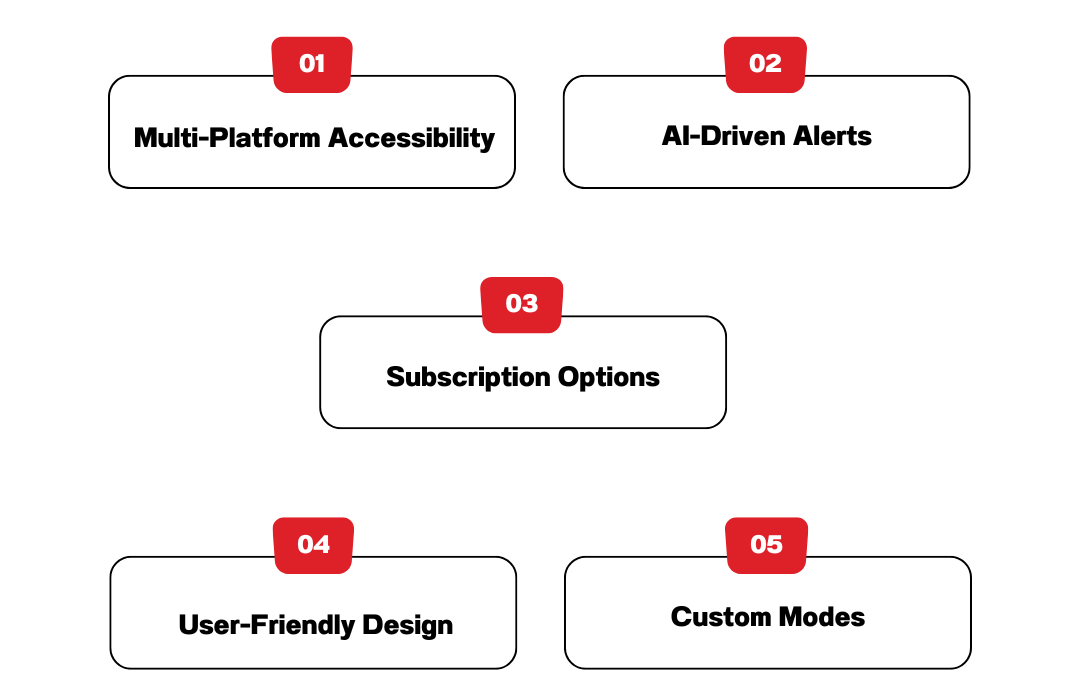
The Arlo app has become a benchmark in home security systems, providing a seamless user experience and advanced security features. Here are the standout features of the app:
Multi-Platform Accessibility
The Arlo app for Android and Arlo app for iPhone ensures that users can monitor their homes from any device. For those who prefer desktop convenience, the Arlo app for PC and Arlo desktop app make remote access simple and efficient.
AI-Driven Alerts
With features like person detection, package detection, and sound alerts, the Arlo security system app takes security to a whole new level.
Subscription Options
Users can choose from various Arlo Secure Plans to enhance their experience. The Arlo Secure Subscription Plans offer cloud recording, smarter AI detection, and extended camera support.
User-Friendly Design
The Arlo mobile app features an intuitive interface that simplifies tasks like viewing live streams, scheduling modes, and managing devices.
Custom Modes
Users can create modes tailored to their preferences, such as “Armed,” “Disarmed,” or geofenced modes.
Arlo App for Android
The Arlo app for Android is a powerful tool designed to help users monitor and manage their Arlo security cameras from their smartphones. Whether you’re at home or away, the Arlo camera app allows you to access live video feeds, receive motion alerts, and control settings with ease.
With the Arlo app Android, users can enjoy seamless integration with their Arlo security system, ensuring real-time monitoring and enhanced security. The app provides two-way audio communication, night vision support, and AI-powered motion detection, making it a top choice for smart home security.
For those looking for additional features, the Arlo Secure App for Android offers advanced security tools, cloud storage options, and priority support through its subscription plans. Whether you’re using the Arlo Android app for personal home security or business surveillance, it provides reliable performance and real-time alerts.
To start using the My Arlo App, simply complete the Arlo app download from the Google Play Store. Once installed, you can connect your Arlo cameras, customize alerts, and manage cloud storage settings effortlessly. The Arlo app for Android is designed for ease of use, offering a secure and intuitive interface to protect what matters most.
Arlo Secure Plans and Subscription Options
Arlo offers Arlo Secure Plans to enhance your home security experience with advanced features. These plans are designed to provide more control, flexibility, and protection for your Arlo cameras. Whether you’re an Android, iPhone, or desktop user, Arlo’s subscription plans work seamlessly across devices. Let’s break down the details to help you make the right choice.
What Are Arlo Secure Plans?
Arlo Secure Plans are subscription-based services that enhance the functionality of your Arlo security system. These plans offer features like cloud storage, advanced AI detection for people, animals, vehicles, and packages, and 24/7 emergency response. They ensure your home is protected even when you’re away.
Arlo Secure Subscription Plans Overview
Here’s a quick look at the available subscription options:
1. Arlo Secure (Single Camera) starts from $7.99/mo.
- Covers one camera.
- Includes 30 days of cloud video history.
- Features intelligent motion alerts for people, animals, and vehicles.
- Includes 24/7 live streaming and two-way audio.
2. Arlo Secure (Unlimited Cameras) starts $17.99/mo.
- Protects multiple cameras at one price.
- Offers the same features as the single-camera plan, including 30 days of cloud storage.
3. Arlo Secure Plus starts $24.99/mo.
- Includes all Arlo Secure features.
- Offers 4K cloud video storage for ultra-high-definition footage.
- Provides enhanced security for users with 4K-enabled cameras.
4. Arlo Safe
Arlo Safe offers several subscription plans to cater to individual and family safety needs:
- Individual Plan: Priced at $4.99 per month, this plan provides personal safety features, including one-tap emergency response, crash detection, and access to live security experts.
- Family Plan: At $9.99 per month, this plan extends safety features to multiple family members, offering location sharing, family check-ins, place alerts, and the ability to send help directly to family members in emergencies.
- Arlo Safe & Secure Pro: For $24.99 per month, this comprehensive plan combines personal safety features with home security monitoring. It includes unlimited camera support, 4K video recording resolution, 30-day video history, smart notifications, and 24/7 professional monitoring.
Additionally, Arlo offers the Arlo Safe Button accessory for $29.99. This device pairs with your smartphone, allowing you to discreetly alert live security experts and request emergency assistance with a single press. Bundle options are also available, combining the Arlo Safe Button with a one-year subscription to either the Individual or Family Plan, starting at $59.99.
Why Choose an Arlo Secure Plan?
Without a subscription, you’ll still get basic features like live streaming and local recording (if you have a storage device). However, Arlo Secure Plans unlock advanced features, such as:
- Cloud storage for accessing video footage from anywhere.
- AI-powered motion detection to reduce false alarms.
- Priority support for faster resolution of any issues.
How Much Do Arlo Secure Subscription Plans Cost?
Here’s an estimated Arlo Secure Subscription Plans Cost:
- Arlo Secure (Single Camera): Around $2.99/month or $29.99/year.
- Arlo Secure (Unlimited Cameras): Around $9.99/month or $99.99/year.
- Arlo Secure Plus: Around $14.99/month or $149.99/year.
- Arlo Safe: Starting from $4.99/month.
How to Choose the Right Plan?
- If you have one or two cameras, the Arlo Secure Single Camera Plan is a cost-effective option.
- For homes with multiple cameras, the Unlimited Cameras Plan offers better value.
- If you use 4K-enabled Arlo cameras, the Secure Plus Plan is ideal for high-quality video storage.
- Want personal safety features? Go for Arlo Safe.
How to Subscribe to an Arlo Secure Plan
- Open the Arlo safe app on your Android, iPhone, or PC.
- Navigate to the “Settings” section.
- Select “Subscription Plans.”
- Choose the plan that fits your needs and follow the payment steps.
By subscribing to an Arlo Secure Plan, you unlock the full potential of your Arlo home security system, giving you peace of mind with advanced features and cloud access. Make your home safer today with the right plan for your needs.
Arlo App Download
To download the Arlo App, visit the App Store (iPhone users click this link) or Google Play Store (Android users click this link) and search for “Arlo Secure”. If you’re using a PC, you can access the Arlo Web Portal by visiting my.arlo.com. Be it setting up a new camera or checking footage, the Arlo app download ensures seamless security control for your home or business.
How To Use Arlo App?
The Arlo Security App makes it easy to monitor your home security from anywhere. Be it using the Arlo app for Android, Arlo app for iPhone, or accessing it on a PC, follow these steps to get started:
1. Download and Install the Arlo App
- For Arlo App Android, go to the Google Play Store, search for Arlo Secure, and tap Install.
- For Arlo iPhone app, visit the Apple App Store, search for Arlo Secure, and tap Get.
- For PC users, there is no standalone Arlo app for PC, but you can access Arlo via the web by visiting my.arlo.com.
2. Set Up Your Arlo Account
- Open the Arlo app and create an account or log in.
- Follow the on-screen instructions to add your Arlo cameras.
- Connect your cameras to Wi-Fi and complete the setup.
3. Navigate the Arlo App
- Live View: Watch real-time footage from your cameras.
- Motion Alerts: Get instant notifications for detected movement.
- Cloud Storage: Access recorded videos (requires an Arlo Secure Subscription Plan).
- Settings: Customize motion zones, audio preferences, and camera schedules.
4. Using the Arlo App on Different Devices
- The Arlo app for Android and Arlo app for iPhone offer the same features, including live monitoring, notifications, and two-way audio.
- If using Arlo app for PC, simply log in via the web portal for remote access and camera management.
By following these steps, you can fully utilize the Arlo app to keep your home safe and secure from anywhere.
Core Features Required to Build an App Like Arlo
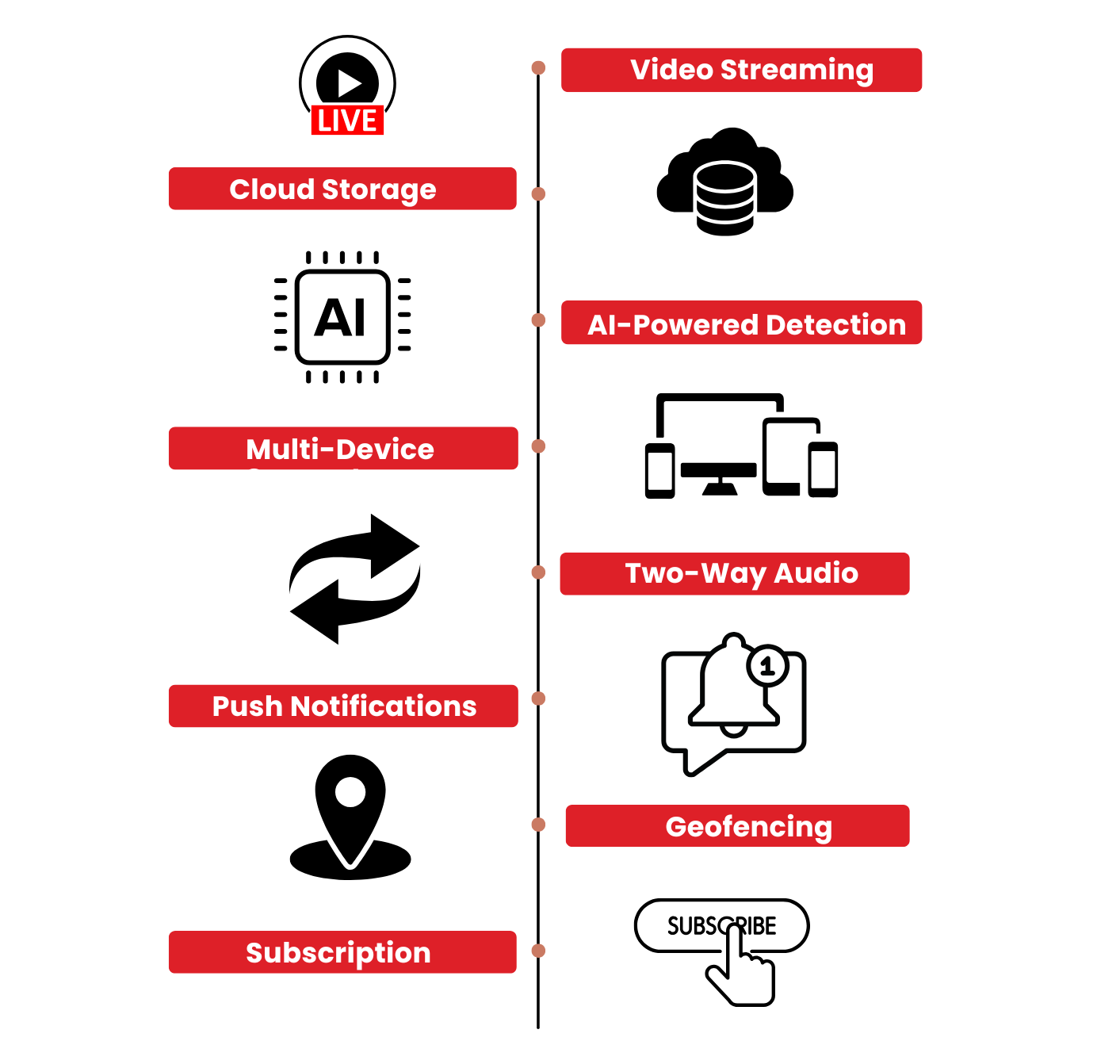
To replicate the success of the Arlo home security app, your app should incorporate these features:
Live Video Streaming
Users should be able to view high-quality live feeds from their cameras through the app.
Cloud Storage
Just like the Arlo Secure App, providing cloud storage for video recordings is crucial for users to access past events.
AI-Powered Detection
Advanced AI should enable the app to detect motion, people, packages, and even animals, mimicking the capabilities of the Arlo security app.
Multi-Device Support
Compatibility across platforms, including the Arlo app for PC, Android, and iPhone, is essential to reach a broader audience.
Two-Way Audio
Enabling users to communicate via cameras, similar to the Arlo camera app.
Push Notifications
Instant alerts for motion, sound, or custom triggers.
Geofencing and Automation
Automate modes based on the user’s location, just like the Arlo secure app for Android.
Subscription Models
Implement options similar to the Arlo secure subscription plans, offering premium features like extended cloud storage and advanced AI detection.
How much does Arlo App Cost
Creating an app like the Arlo app involves various stages, each contributing to the total cost. Here is a detailed breakdown:
Planning and Research
This phase involves competitor analysis, feature identification, and defining the app’s scope. Research helps in understanding market trends and user expectations. The estimated arlo app cost for this stage is between $10,000 and $20,000.
UI/UX Design
A sleek, intuitive design is essential for user retention. Features like the Arlo app’s clean interface and easy navigation require skilled designers to create a user-friendly experience. The estimated arlo app cost for UI/UX design ranges from $15,000 to $30,000.
App Development
This stage includes front-end and back-end development, ensuring the app functions across multiple platforms. Developing an Android version similar to the Arlo app for Android, an iOS version resembling the Arlo app for iPhone, and a desktop application equivalent to the Arlo app for PC requires skilled developers. The estimated arlo app cost for app development is between $50,000 and $100,000.
AI and Machine Learning Integration
Implementing AI-powered features such as motion detection and person recognition, similar to the Arlo app for Android, enhances the app’s capabilities. The estimated cost for AI and machine learning integration ranges from $30,000 to $70,000.
Cloud Infrastructure
Setting up secure and scalable cloud storage ensures smooth data management, similar to Arlo Secure Plans. The estimated arlo app cost for cloud infrastructure is $20,000 to $50,000 annually.
Testing and QA
Before launching, thorough testing and quality assurance help identify and fix bugs to ensure the app runs smoothly across different platforms. The estimated arlo app cost for this stage is between $10,000 and $25,000.
Maintenance and Updates
Regular updates, such as an Arlo app update, and ongoing maintenance are necessary to keep the app functional and secure. The estimated arlo app cost for maintenance and updates is $5,000 to $15,000 per year.
Estimated Total Cost
The total cost to build an app like Arlo ranges between $140,000 and $300,000, depending on the app’s complexity, features, and the mobile app development company you choose.
How Apps Like Arlo Make Money?
Well there might be many app monetization strategies that might do it for you when building an app like the Arlo App, but here is what we’ve found out:
Subscription Plans
Following the Arlo secure subscription plans model, offer tiered pricing for cloud storage and advanced features.
Hardware Integration
Pair your app with cameras or other security devices to increase revenue.
In-App Purchases
Sell additional features like extended cloud storage or advanced AI capabilities.
Licensing Fees
License your app to third-party hardware manufacturers.
Wrapping it Up
Creating an app like the Arlo camera app is an ambitious but rewarding endeavor. By incorporating features such as live video streaming, AI-powered detection, and multi-platform support, you can build a robust and user-friendly security solution. With arlo app cost ranging from $140,000 to $300,000, partnering with an experienced mobile app development company is key to bringing your vision to life. Whether it’s designing an intuitive arlo app for android, optimizing a desktop app, or offering scalable arlo secure plans, careful planning and execution will ensure your app’s success in the competitive market.
If you’re ready to create a next-gen security app like my Arlo app, now’s the time to take action and turn your idea into reality.
How TechnBrains Can Help You Build an App Like the Arlo App
Developing a security and surveillance app like Arlo requires a highly skilled development team with expertise in advanced technologies. TechnBrains, a leading mobile app development company, has the experience and technical knowledge to bring your vision to life.
Expertise in IoT Integrations
The Arlo android app is built on Internet of Things (IoT) technology, enabling seamless communication between smart cameras and mobile devices. At TechnBrains, we specialize in IoT-powered applications, ensuring real-time data transfer, remote device management, and secure connections between hardware and software.
AI and Machine Learning Capabilities
Features like motion detection, person recognition, and smart alerts in the Arlo app for Android and iPhone rely on AI-driven algorithms. TechnBrains integrates AI and machine learning to enhance security apps with features such as facial recognition, object detection, and predictive analytics.
Cross-Platform Development for Android, iOS, and PC
To reach a broader audience, a security app must work on multiple devices. We develop:
- Android applications, similar to the Arlo app for Android
- iOS solutions, ensuring a seamless experience like the Arlo app for iPhone
- Web-based applications, providing access like the Arlo app for PC
With our cross-platform expertise, your app will provide a consistent and optimized user experience across all devices.
Scalable Cloud Infrastructure
Just like Arlo Secure Plans, a security app requires cloud-based storage for video recordings and alerts. TechnBrains builds scalable and secure cloud solutions, allowing for real-time video streaming, encrypted storage, and fast data retrieval. Contact us today to start building your next-generation home security app!
In This Article

Blocked by Backlog or Missed Deadlines?
Senior developers who build, fix, and ship, without slowing your team down.