Build and Scale Faster
150+ products shipped for startups and enterprises by engineers focused on real outcomes.
"Their ability to quickly understand an unfamiliar use case and respond creatively to it is impressive."

Anonymous
Executive, Pured Disc Golf

"TechnBrains resolved challenges efficiently and turned my vision into a solid, functional product with a strong foundation."

Jalen Gibbs
Founder, STREAMLINE LIVE
"The talent they provided was solid, but more importantly, they were quick to align with our way of working."

Nancy Snyder
Managing Director, MimeCast
Our trusted clients


Start Your Product Journey Today
Turn your idea into a working product. Share a few details and we'll help define the roadmap, timeline, and execution approach.
Android vs iOS App Design: App design Differences and Comparison
iOS App Design and Android App Design—the ultimate showdown that has developers biting their nails and designers losing sleep. Be it you're team Apple or team Android, crafting an app for these platforms is no small feat. Why? Because what looks sleek and seamless on iOS might look like a design experiment gone wrong on Android—and vice versa. Now imagine...


Updated Jan 22, 2025
iOS App Design and Android App Design—the ultimate showdown that has developers biting their nails and designers losing sleep. Be it you’re team Apple or team Android, crafting an app for these platforms is no small feat. Why? Because what looks sleek and seamless on iOS might look like a design experiment gone wrong on Android—and vice versa.
Now imagine this: you’re an app developer, pouring your soul into a design that looks perfect on your iPhone. You test it on an Android device and… surprise! Your beautifully aligned buttons are suddenly on a solo mission to explore the corners of the screen. If app design were a relationship status, it would definitely read: “It’s complicated.” Also, 94% of first impressions of an app are design-related.
But fret not! The differences between iOS App Design and Android App Design don’t have to drive you to despair (or make you Google “career change options”). In this blog, we’ll break down the key design principles for both platforms, sprinkle in a little actionable advice, and help you bridge the gap between Cupertino cool and Material Design mastery.
Let’s dive in, and by the end, you’ll be designing apps that your users love, won’t care if they’re swiping on an iPhone or tapping on a Galaxy.
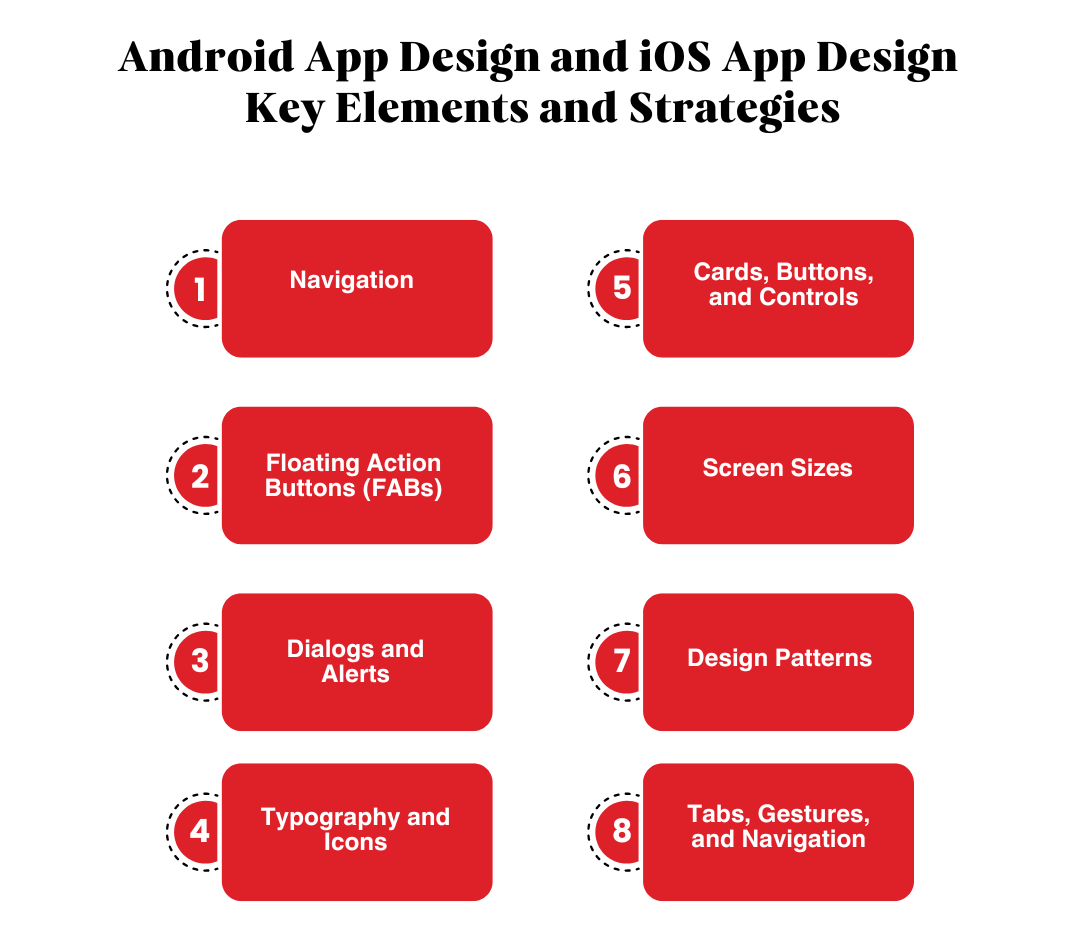
Android App Design and iOS App Design – Key Elements and Strategies
Creating user-friendly and visually appealing mobile applications is a critical aspect of digital innovation. When it comes to Android app design and iOS app design, the platforms differ significantly in their design languages, patterns, and user expectations. Lets break it down below:
Navigation
iOS App Design follows a highly structured approach to navigation. The primary navigation bar is always visible at the bottom of the screen, making it easy for users to switch between tabs. iOS does away with a back button, instead relying on intuitive gestures like swiping from the left edge to navigate backward. Additionally, users can view all open apps by swiping up from the bottom of the screen—a hallmark of Apple’s simplicity.
Android App Design, on the other hand, leans on flexibility. Navigation elements are often tucked into a hamburger menu or spread throughout the interface. Unlike iOS, Android includes a dedicated back button, either in the top navigation bar or as a system control, which can be a lifesaver for users who love multitasking.
Pro Tip: When designing an app like yoga go for Android, ensure your hamburger menus are logically structured, and for iOS, focus on keeping the navigation bar accessible at all times.
Floating Action Buttons (FABs)
Floating Action Buttons (FABs) serve as key components in mobile apps, acting as primary calls to action like creating a task or sending a message.
- In Android app design, FABs often float prominently on the screen, sometimes overlapping content. This reflects Material Design’s approach, focusing on visibility and interactivity. FABs can also complement complex interfaces, such as in landscape design apps for Android, by streamlining user navigation.
- In iOS app design, a similar function is achieved through buttons in the upper-right corner. These adhere to Apple’s minimalist design standards, ensuring simplicity and user focus.
Fun Fact: FABs in Android feel like superheroes of the interface—always ready to save the day with a tap.
Dialogs and Alerts
Dialogs and alerts interrupt tasks to convey important information or require user input.
- Android app design software uses Dialogs creatively, offering flexibility with features like snackbars for non-intrusive notifications.
- In iOS app design, Alerts follow a streamlined, minimalist style that blends seamlessly into the app interface.
For example, landscape design apps on Android might use snackbars to notify users about saved projects, while iOS app design templates ensure alerts stay intuitive and non-disruptive.
Dialogs and alerts interrupt tasks to convey important information or require user input.
- Android app design software uses Dialogs creatively, offering flexibility with features like
snackbars for non-intrusive notifications. - In iOS app design, Alerts follow a streamlined, minimalist style that blends seamlessly into the
app interface.
For example, landscape design apps on Android might use snackbars to notify users about saved
projects, while iOS app design templates ensure alerts stay intuitive and non-disruptive.
Fact time: 88% of users are less likely to return to an app after a bad experience.
Typography and Icons
Typography and iconography are the backbone of any android app design or iOS app design.
- Typography:
- Android relies on the Roboto font, designed for clarity and adaptability on digital screens. Apps like landscape design apps for Android benefit from this font’s readability.
- iOS utilizes the San Francisco font, which adjusts seamlessly to various screen sizes and provides a modern aesthetic.
- Icons:
- iOS app icon design emphasizes thin, monochromatic styles to maintain elegance.
- Android app design features bold and colorful icons aligned with Material Design guidelines.
Pro Tip: Think of typography as your app’s voice—whether it’s Roboto for clarity or San Francisco for elegance, it enhances user engagement.

Cards, Buttons, and Controls
Buttons and controls are the design elements that will make or break your app. They need to be accessible so the user wont have to search for them. Think of them as CTAs, you want to place them in right where you want the user to click it. Lets look at them in detail below:
1. Cards
Cards are essential for grouping content and organizing information visually. They serve as a structural element in both Android app design services and iOS app design services, but their implementation differs.
- In Android: Cards add depth to the UI with shadows, rounded edges, and vibrant colors. For example, design Android apps often rely on cards to organize complex data, such as tasks, media, or user profiles. This is particularly useful in Android landscape design apps, where visual organization is crucial for creating intuitive layouts.
- In iOS: Cards rely on flat sections and generous white space for content separation. Instead of shadows, iOS cards emphasize simplicity and clean lines, aligning with Apple’s minimalist design philosophy.
Pro Tip: Cards in Android apps feel like tangible objects, while in iOS, they blend seamlessly into the interface, making both equally effective in their ecosystems.
2. Buttons
Buttons are the primary tools for user interaction, and their styles differ significantly between the two platforms.
- In Android: Buttons are bold, filled, and visually prominent, with a focus on vibrant colors and raised effects. They are perfect for action-heavy apps like those built using Android app UI design software. This bold design ensures that buttons are noticeable and functional even in visually complex layouts.
- In iOS: Buttons are lightweight and text-based, emphasizing subtlety over prominence. Their minimalist appearance is in harmony with the overall design language of iOS apps, especially those built using iOS app design templates.
Pro Tip: Use buttons to guide user interaction effectively, ensuring they align with the platform’s design language. Bold Android buttons work well for highly interactive apps, while subtle iOS buttons enhance minimalist designs.
3. Controls
Controls like toggles, sliders, and checkboxes play a crucial role in user interactivity.
- In Android: The variety of controls suits apps with intricate features. For instance, landscape design apps for Android often use sliders for precise adjustments and toggles for feature activation. The diverse control options reflect Material Design’s focus on functionality and flexibility.
- In iOS: Controls are clean, minimalist, and intuitive. Toggles and sliders are designed with smooth transitions and subtle animations, offering an elegant user experience.
Pro Tip: Micro-interactions, such as the smooth toggling effect in iOS or the shadow effects in Android, can elevate your app’s overall polish and usability.
| Feature | iOS | Android |
|
Screen Sizes
|
Few, consistent sizes
|
Wide variety of sizes
|
|
Measurement
|
Points (pt)
|
Density-independent pixels (dp)
|
|
Testing Needs
|
Fewer devices
|
More devices required
|
Screen Sizes and Units of Measurement
Responsive design is critical for maintaining app usability across a range of devices. Both Android app design and iOS app design cater to different device ecosystems and require unique considerations.
1. iOS
- Apple devices have a relatively small number of screen sizes, making it easier to maintain design consistency. Designers use points (pt) as the unit of measurement, ensuring apps adapt seamlessly across devices like iPhones and iPads.
- For example, apps like iPhone design apps maintain uniformity, making them visually appealing across devices.
2. Android
- With a wide variety of devices, Android uses density-independent pixels (dp) to create adaptive layouts. This ensures that apps like Android landscape design apps or design Android apps look polished, regardless of screen size or resolution.
Pro Tip: Test your app on multiple devices to ensure responsive design. An app that looks great on a high-resolution Android device or the latest iPhone is more likely to win user loyalty.
Design Patterns
Design patterns establish the overall look and feel of the app, setting expectations for users familiar with the platform.
1. iOS App Design
- Focuses on flat and minimalist aesthetics with clarity and simplicity at its core.
- Features like iOS app design inspiration showcase the importance of white space, intuitive navigation, and seamless user experiences.
- Apps built with iOS app design services ensure that every element feels lightweight and unobtrusive.
2. Android App Design
- Emphasizes depth, bold typography, and vibrant colors, adhering to Material Design guidelines.
- The flexibility offered by Android app design software allows for greater customization, making it ideal for developers creating unique apps.
- Apps like design Android apps take advantage of bold visuals to engage users effectively.
Pro Tip: Follow each platform’s design guidelines to make your app feel native and natural for users.
Tabs, Gestures, and Navigation
Navigation is the backbone of any app, and both Android app design and iOS app design offer unique approaches.
1. Tabs
- iOS: Bottom-tab navigation is common, providing quick access to key sections. This ensures intuitive navigation for apps like those created with iOS app design templates.
- Android: Top-tab navigation is frequently used, often paired with swiping gestures for seamless transitions. This is particularly effective in apps like Android landscape design apps, where users frequently switch between views.
2. Gestures
- iOS: Intuitive gestures like swipe-to-delete and edge-swiping for navigation make interactions feel natural.
- Android: Gestures are dynamic and integrate seamlessly with Material Design, allowing for unique app interactions, such as in Android app UI design software.
Fun Note: Designing gestures is like choreographing a dance—it requires purpose, fluidity, and precision to make user interactions enjoyable.
What to choose?
Creating apps that cater to both Android app design and iOS app design audiences requires an understanding of each platform’s unique traits. Whether you’re developing a landscape design app for Android, working with an iOS app design agency, or simply exploring how to design an app for Android, consider these tips:
- Focus on typography and iconography to establish visual harmony.
- Use responsive design principles for screen size adaptability.
- Maintain platform consistency by adhering to each ecosystem’s patterns.
By capitalizing on the strengths of android app design services and iOS app design services, developers can create apps that are not only visually appealing but also highly functional across platforms.
Crafting Apps That Delight
When it comes to iOS App Design and Android App Design, understanding the key differences is the secret to creating exceptional user experiences. By respecting each platform’s unique guidelines—from navigation and typography to gestures and screen sizes—you’ll ensure your app looks and feels native to its ecosystem.
Be it you’re building a minimalist iOS masterpiece or a bold Android experience, remember that great design bridges the gap between platforms and makes users forget about the differences. Now go ahead, design apps that not only meet expectations but exceed them. And as you do, remember: in the world of app design, the devil is always in the details.
Android vs. iOS App Design: Can’t Decide? TechnBrains Is Here to Help
When it comes to developing a mobile app, the debate between Android vs. iOS app design often leaves businesses scratching their heads. An app with a strong design can increase conversion rates by up to 200%. Both platforms dominate the app development landscape but cater to different user preferences, devices, and ecosystems. So, how do you decide which one aligns best with your business goals?
Expertise in Both Platforms
We are a Top-rated mobile app development company Dallas, renowned for delivering top-notch apps tailored to Android and iOS. Be it bold Android app designs or sleek iOS app designs, we know what works best for your business.
End-to-End Support
From ideation to deployment, we guide you through every step of the app design and development process. We ensure your app not only looks stunning but also functions flawlessly.
Custom Solutions
Our team of expert designers and developers understands that every business has unique needs. That’s why we offer custom app solutions, ensuring your app resonates with your target audience and reflects your brand identity.
Partner with TechnBrains, the trusted mobile app development company, to create an app that aligns with your goals and captivates your audience. Contact us today to turn your app idea into a reality!
In This Article

Blocked by Backlog or Missed Deadlines?
Senior developers who build, fix, and ship, without slowing your team down.